
Convert your
Google Maps route to GPX

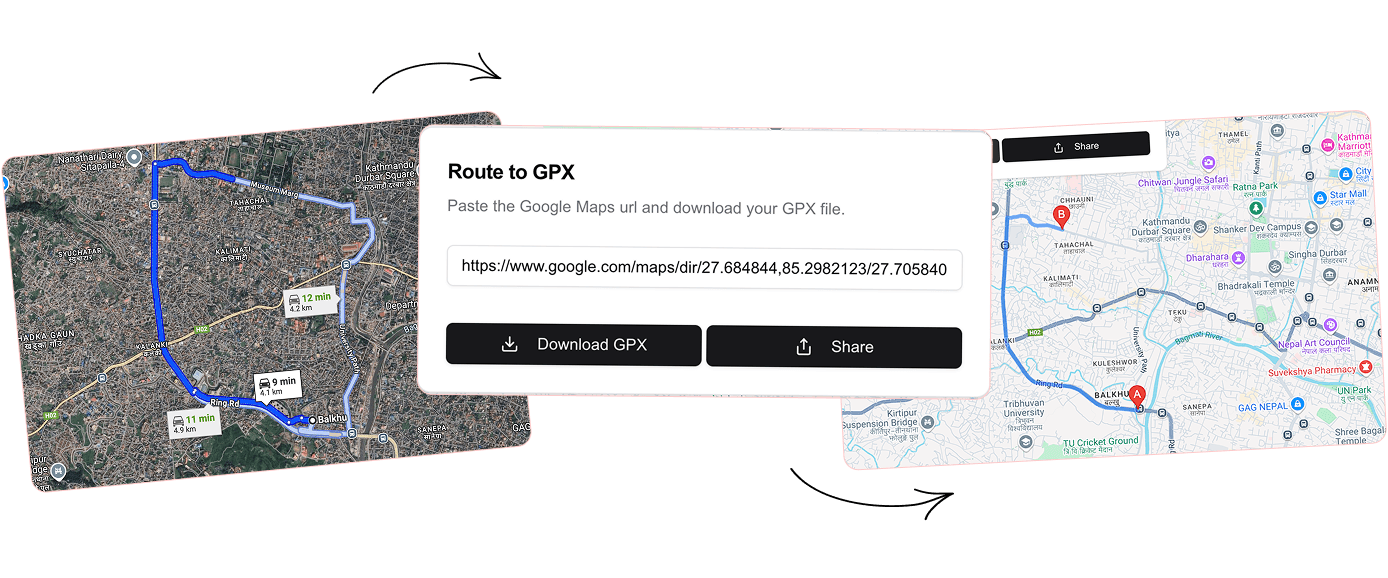
How to convert a Google Maps route to GPX
Google Maps can't export GPX on its own. Three steps and you have a file your GPS device understands.
- 1
Copy your Google Maps route link
Plan the route in Google Maps on your phone or computer, add any stops you need, then tap Share and copy the link.
- 2
Paste it and pick a travel mode
Paste the link above. Route To GPX reads the start, stops and destination, and picks up driving, walking or cycling from the link.
- 3
Preview and download the GPX file
Check the route on the map, then download a .gpx file ready for Garmin, Strava, Komoot or any GPS app.
Why Choose Route To GPX?
A free Google Maps to GPX converter built for cyclists, hikers, runners and road trippers who plan in Google Maps but navigate on a GPS device.
Easy Route Conversion
Simply paste your Google Maps route URL and get an instant GPX file conversion. No complex setup or technical knowledge required.
High-Quality GPX Files
Our advanced algorithms ensure your converted GPX files maintain accurate coordinates and route data for reliable navigation.
Lightning Fast Processing
Convert your routes in seconds. Our optimized system processes your Google Maps routes quickly and efficiently.
Preview Before Download
Review your converted route on an interactive map before downloading to ensure everything looks perfect.
User-Friendly Interface
Clean, intuitive design that makes route conversion simple for everyone, from beginners to GPS navigation experts.
Works With Any GPS App
Standard GPX files open in Garmin Connect, Strava, Komoot, Wahoo, OsmAnd and most bike computers and hiking apps.
Google Maps to GPX: frequently asked questions
Can Google Maps export GPX files?
No. Google Maps has no built-in GPX export for routes or directions. Route To GPX fills that gap: paste the route link and it rebuilds the same route as a GPX file you can download.
How do I get a GPX file from Google Maps?
Plan your route in Google Maps, tap Share and copy the link. Paste that link into Route To GPX, check the route on the map preview and download the .gpx file.
Does it work with shortened maps.app.goo.gl links?
Yes. Short links from the Google Maps app on iPhone and Android are expanded automatically, so you can paste whatever the Share button gives you.
Which apps and devices can open the GPX file?
GPX is the standard GPS exchange format, so the file works with Garmin Connect, Garmin BaseCamp, Strava, Komoot, Wahoo, OsmAnd, Gaia GPS and most bike computers and hiking apps.
Can I convert walking, cycling and driving routes?
Yes. The travel mode in your Google Maps link is detected and you can switch between driving, walking, cycling and transit before you download.
Is Route To GPX free? Do I need an account?
It is free to use. You sign in with your Google account before converting, which keeps the tool free of abuse. There is nothing to install.
Want the full walkthrough? Read how to export a GPX file from Google Maps or how to send a Google Maps route to Garmin, or open the converter.